A ❤️-letter to the Admin Dashboard of Vendure
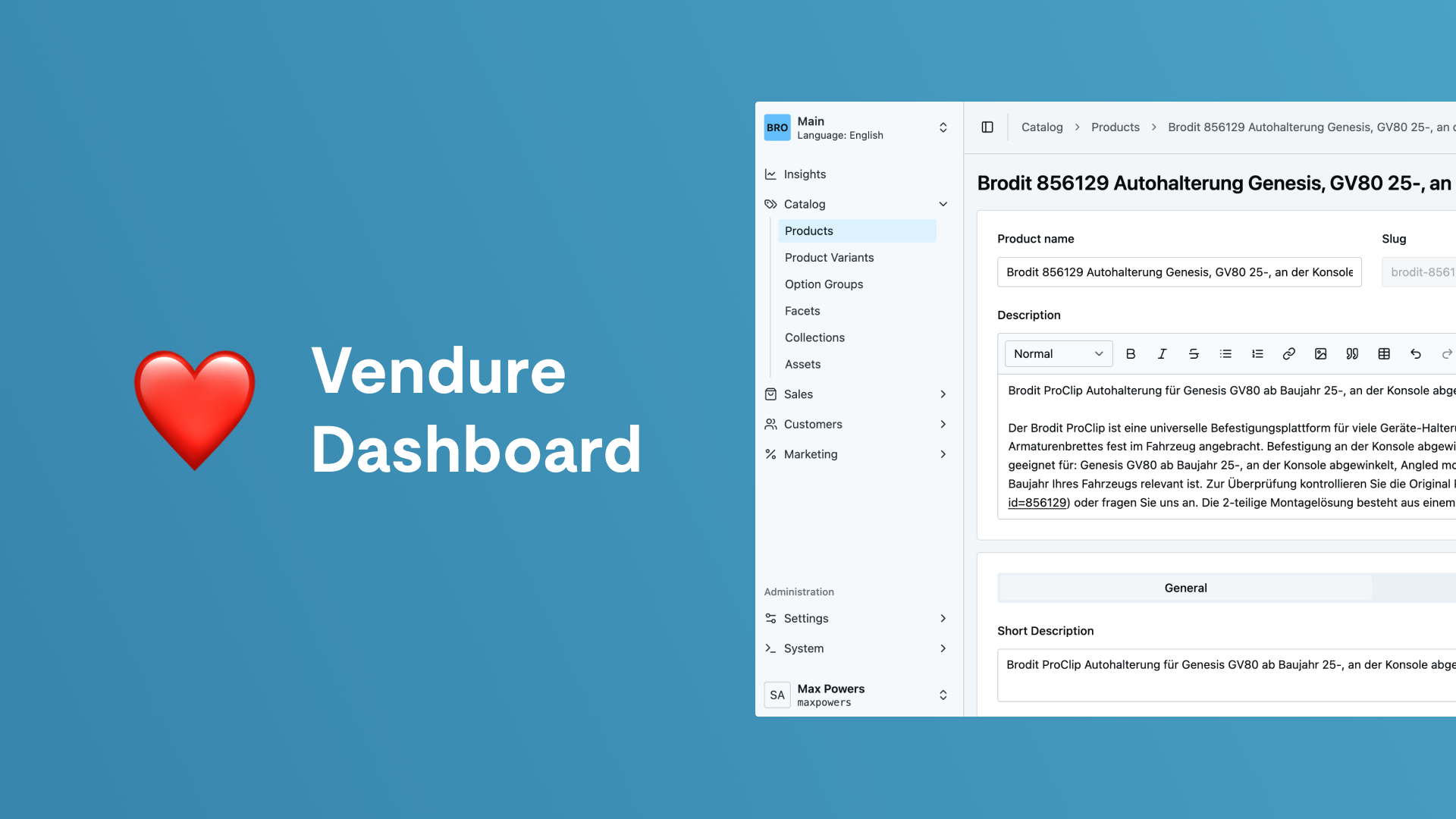
Vendure comes with a React-based Admin Dashboard, which sounds pretty boring at first but boy it has features you don’t even know you need them. Let me guide you through only some of them.

E-Commerce · 25.08.2026
Better than most CMS backends
Having worked with many different content management systems (CMS) for more than a quarter century, I think I’m qualified to say that none of the existing CMS is perfect but all of them come with some nice little features which are really great for specific use cases. A lot of those features we always needed for different websites are somehow bound to the admin backend as they should help the editors maintain their content easily.
From Vendure as an e-commerce system my expectations of the admin backend are way lower as its strengths should lie in the e-commerce framework part and not in the UI. But the new Vendure Dashboard comes with features I’m missing in almost all of the existing CMS. Most of them rely on Vendure’s extensibility. The admin dashboard follows the core concept of Vendure as a framework as it does not come with solutions for every use case but with the base to customize or build those solutions on your own in a very easy way.
Custom List/Detail-views
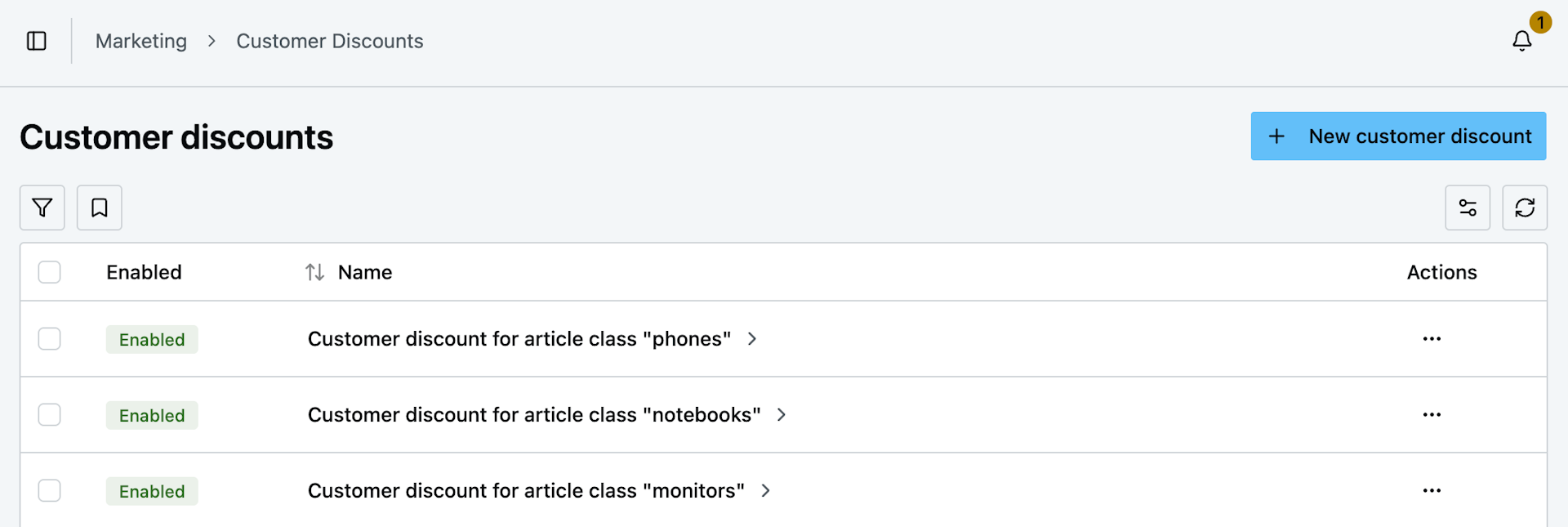
One of those features is creating custom list- and detail-views for existing or custom entities. All you need to do to implement these is to create two components, a list and a detail component, which implement the generic list and detail components exposed by the @vendure/dashboard-package. And since you created those components on your own you can adjust them completely to your own needs meaning it's really easy to add filters, bulk actions, workflow triggers or whatever you can imagine to those views.
To build these custom components the Vendure dashboard exports nearly all of its used components as reusable components. With them you can basically build everything you can imagine by simply using the built-in components and put them together as your use case requests it. In addition to that there are several hooks that make it very easy to fetch data from the database and use it in your own components.
Extending built-in views
Another thing I always wished for in other backend applications is the possibility to extend existing views with your own features. In Vendure, you can add your own components to nearly every section of the backend. We often use this to add export or import triggers to entities like customers or orders.
Here’s an example to show you how easy it is to add an export button component to the action bar of the order detail view:
defineDashboardExtension({
  actionBarItems: [
    {
      id: "order-export-button",
      pageId: "order-detail",
      component: ExportOrderButton,
    },
  ],
});
Override existing components… WAT?!
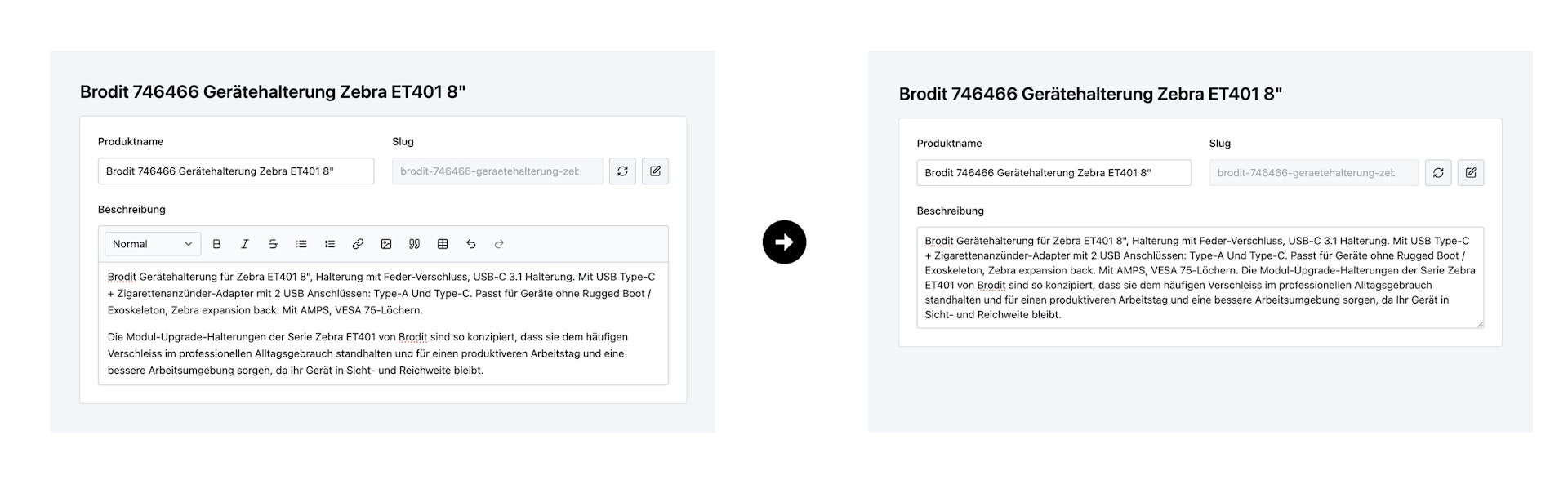
Probably the most impressive feature of the admin dashboard is the possibility to override input components for fields of core entities (eg. an existing field in the product detail form). This means you can build your own custom components and use them as input fields for existing fields of core entities. For example, if you have specific rules for building the URL-slug of products you could implement a custom input field which implements these rules and replace the standard slug input of the product entity with your custom component.
For example, the following extension allows you to replace the description text on a product detail page, which is normally displayed as a rich-text editor, with a simple textarea:
defineDashboardExtension({
  detailForms: [
    {
      pageId: "product-detail",
      inputs: [
        {
          blockId: "main-form",
          field: "description",
          component: TextareaInput,
        },
      ],
    },
  ],
});
Not convinced?
There are a lot of other cool features of the admin dashboard. If you would like to know more about those, just ping us. We’re happy to hear about your ideas.