Previewing unpublished content with DatoCMS
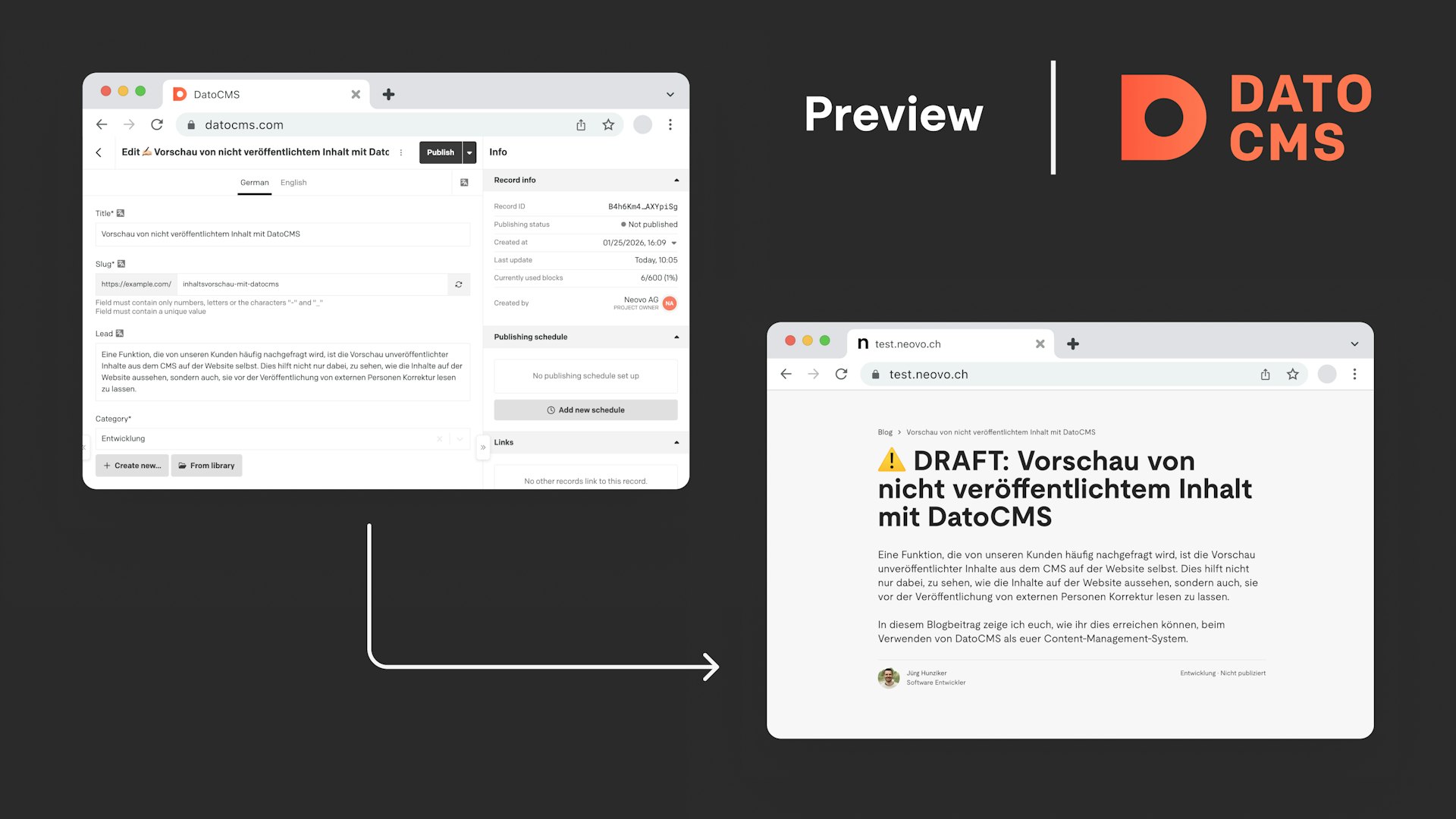
A feature which is often requested by our customers is previewing unpublished content from the CMS on the website itself. This not only helps to see how the content looks on the website but also for proof-reading it by external people before it gets released.

Development · 18.02.2026
The setup
As an example we assume we have a blog which gets its blogposts from DatoCMS. The blogposts are stored in the post entity. This entity has the enabled the Enable draft/published system?-flag in its settings.

To fetch a blogpost on our website we can send the following query to the Content Delivery API of DatoCMS.
query PostDetailQuery {
  post(filter: { slug: { eq: "preview-content-with-datocms" } }) {
    title
    lead
    content {
      value
    }
  }
}
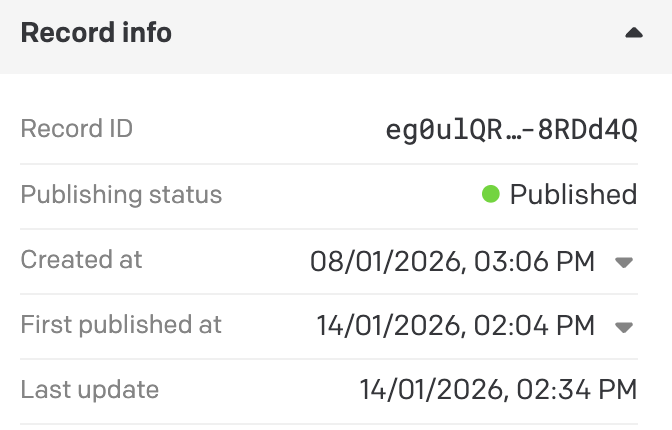
By default we will only get blogposts which are in the "Publishing status" Published.
Fetching unpublished content
The Content Delivery API offers some handy request headers to define what should be included in the response and what not.
For our use case we need to use the X-Include-Drafts-header which can be set to true. With this header set we can now fetch all of our blogposts even the unpublished ones.
Setup preview website
The easiest way to display unpublished content to the editors is to deploy a second website which is identical to the production website but has the X-Include-Drafts-header set to true when doing the requests to DatoCMS. We often do this by creating a preview.my-website.ch-subdomain and point it to the new preview deployment.
To make this even easier we develop our pages with a single environment variable which defines if the website should display unpublished content or not. This variable could be called DATOCMS_INCLUDE_DRAFTS for example. Now we can set the fetch-headers dynamically according to this variable.
fetch('https://graphql.datocms.com/', {
  method: 'POST',
  headers: {
    'X-Include-Drafts': env.DATOCMS_INCLUDE_DRAFTS === 'true' ? true : undefined,
    Authorization: `Bearer ${
      env.DATOCMS_INCLUDE_DRAFTS === 'true'
        ? env.DATOCMS_DRAFT_CONTENT_CDA_TOKEN
        : env.DATOCMS_PUBLISHED_CONTENT_CDA_TOKEN
    }`,
  },
  ...
});
Separate API tokens
You might have noticed that we use different API-Tokens depending on if we want to display draft content or not in the fetch-request above. This is a good practice as it should not be possible for users of the production website (which uses the DATOCMS_PUBLISHED_CONTENT_CDA_TOKEN) to fetch unpublished content (if the token is also used on client-side).
Make preview website only accessible by allowed users
Depending on the website it could be dangerous if preview content could be accessed by the public as it could leak sensitive information (eg. a big announcement) too early. This is why you should protect the preview website to only be accessible by authorized users. This could be done for example by whitelisting IP-addresses or (at least) define a basic auth on the preview website.
Make the status visible to the viewer
To avoid confusion for the visitor of the website it makes sense to clearly declare if the content is already published yet or not. To do this the content delivery api provides a technical field called _status on each model (which has the draft/published system enabled). This field is set to one of the following values:
draft: The blogpost is not published yetpublished: The blogpost is publishedupdated: The blogpost has unpublished changes
In our case we often display a "DRAFT"-prefix in front of the title of the element when it is not published yet (_status === 'draft').
Display preview website side-by-side in the DatoCMS editor (advanced setup)
Instead of having the preview website opened in a separate tab next to the DatoCMS backend there is also a really cool plugin called Web Previews which enables displaying the preview website right next to the content editor.
To make the plugin work the website needs to provide a JSON-endpoint which returns the URL to the detail page of the currently viewed DatoCMS record. As soon as a record in DatoCMS is opened for editing the plugin sends a request to the configured endpoint with the current record in the body. The endpoint returns the URL where this record is displayed on the website. This url then gets displayed in a sidebar next to the editor.
The plugin offers an option to automatically reload the website as soon as the record gets updated. With this feature enabled the content editors do not have to reload the website by themselves when updating the record.
There are implementation examples in the official DatoCMS starter kits for the most common frameworks. Go check them out here: https://www.datocms.com/marketplace/plugins/i/datocms-plugin-web-previews#implementation-examples
That's it
As you can see previewing unpublished content is quite easy when using DatoCMS as your content management system. Feel free to contact us when you have a question or an idea around this topic.
What's next: Visual Editing
DatoCMS recently took this even a step further: With the new Visual Editing feature, editors can click directly on any element of the website and edit it in DatoCMS. Combined with the Web Previews plugin mentioned earlier, changes are then displayed in real time. Learn more in the official DatoCMS product update.